Table of Contents
- Campus Map QR Code: Make Large Campuses Easier to Navigate
- Why Campus Navigation Can Be Difficult
- What Is a Campus Map QR Code?
- A Better First Experience for New Students
- Help Visitors Navigate Without Asking for Directions
- Connect the Physical Campus With Google Maps
- Add Your Own Campus Map
- Highlight Important Campus Locations
- Make Parking and Entry Gates Easier to Understand
- Useful for Orientation Programs
- A Useful Tool for Campus Events
- Place QR Codes at Key Buildings
- Keep Help Desk Information Available
- Include Campus Operating Hours
- Static or Dynamic Campus Map QR Code?
- How to Create a Campus Map QR Code
- Where Should a Campus Map QR Code Be Placed?
- Conclusion
Campus Map QR Code: Make Large Campuses Easier to Navigate
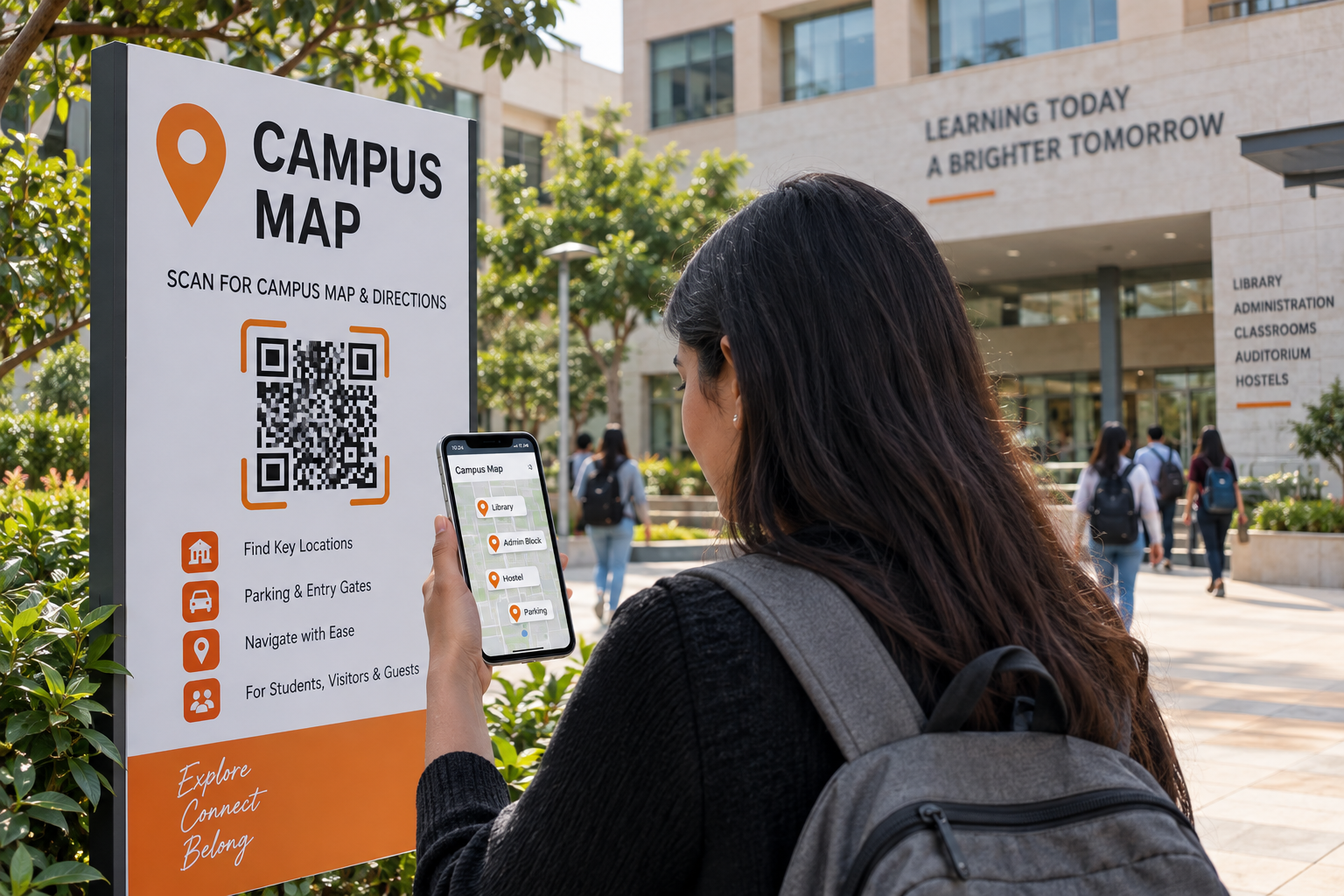
Finding your way around a large campus can be difficult, especially for new students, parents, visitors, guests, and people attending events for the first time. A university or college may have multiple academic buildings, libraries, hostels, administration offices, parking areas, laboratories, entrances, and event venues spread across a large area. A Campus Map QR Code provides a simple way to make this information easier to access.
Instead of handing visitors a printed map or expecting them to search online for directions, an institution can place a QR code at the entrance, reception area, parking zone, or event venue. Visitors can scan it with their smartphone and quickly access the campus map, location, key buildings, navigation information, help desk contact, and operating hours. Spur QR's Campus Map QR tool supports a Google Maps URL, campus name, optional campus map image, key locations, navigation and parking information, help desk contact, and operating hours, making it useful for creating a digital navigation point for educational campuses.
Why Campus Navigation Can Be Difficult
A campus may look simple on a map, but it can feel completely different when someone is physically standing at the entrance and trying to find a particular building. New students may know the name of their department but have no idea which building it is in. Parents arriving for an admission meeting may not know where the administration block is. Visitors attending a seminar may struggle to find the correct auditorium, while students attending an event may need to locate a particular gate or parking area.
This is where a digital campus map can make a practical difference. Rather than relying only on signs or asking people for directions, visitors can scan one QR code and access navigation information on their phone. Spur QR describes its Campus Map QR Code as a way to help students, visitors, and new joiners navigate an institution with a single scan.
What Is a Campus Map QR Code?
A Campus Map QR Code is a QR code that connects visitors to a campus's digital navigation information. It can link to a Google Maps location and can also include a campus map image and additional information about important locations around the institution.
The Spur QR Campus Map generator allows users to enter the Google Maps URL and Campus Name, optionally upload a campus map image, and add information such as key locations, navigation notes, parking details, help desk contact, and operating hours.
This makes the QR code more than a simple location link. It can become a compact digital guide that helps visitors understand where they are and where they need to go next.
A Better First Experience for New Students
The first few days at a new college or university can be confusing. Students are learning their timetable, meeting classmates, understanding departments, and trying to remember where different buildings are located. A campus map QR code can reduce some of this confusion.
A QR code can be displayed at the main gate with a simple message such as:
NEW TO CAMPUS?
Scan for Campus Map & Directions
The student can scan the code before walking further into the campus and use the digital information to locate classrooms, departments, libraries, hostels, administrative offices, or other important facilities.
This makes navigation part of the student's first experience rather than another problem they need to solve.
Help Visitors Navigate Without Asking for Directions
Visitors often depend on security staff, reception teams, students, or employees to find their destination. While human assistance will always be valuable, a digital map can handle many basic navigation questions.
Someone arriving for a meeting can scan the QR code and find the relevant building. A parent visiting the admissions office can check the location before walking across the campus. A guest attending a seminar can identify the event venue without repeatedly asking for directions.
The result is a more independent visitor experience while also reducing some routine navigation questions for campus staff.
Connect the Physical Campus With Google Maps
One of the most useful features of a Campus Map QR Code is the ability to connect the physical campus with Google Maps. Spur QR's Campus Map tool provides a dedicated Google Maps URL field for this purpose.
This is particularly useful because visitors are already familiar with map applications on their phones. Instead of giving them a separate navigation system to learn, the QR code can provide a direct route to the campus location.
A campus can therefore use the QR code as the starting point, while Google Maps handles the broader navigation experience.
Add Your Own Campus Map
Not every useful campus detail can be represented by a single Google Maps pin. A large university may have several buildings within the same campus, and visitors may need to understand the internal layout rather than simply reach the main address.
Spur QR allows users to optionally upload a Campus Map Image. This provides an opportunity to show the internal structure of the campus alongside the external location.
For example, the campus map could identify:
- Academic blocks
- Library
- Hostel buildings
- Administration office
- Parking areas
- Main gates
- Auditorium
- Cafeteria
- Sports facilities
This can make the navigation experience more useful than relying only on a general map pin.
Highlight Important Campus Locations
A campus map becomes more useful when visitors know what the important buildings represent. Spur QR's Campus Map tool includes a Key Locations area where institutions can list important buildings, offices, and facilities.
This can be especially helpful for new visitors who may recognize a building name but not know its purpose.
For example, a digital campus guide could clearly list:
- Administration Block — Admissions & Student Services
- Central Library — Books & Study Areas
- Main Auditorium — Events & Seminars
- Student Centre — Student Activities
- Hostel Block — Residential Facilities
Clear labels reduce the amount of guesswork involved in navigating a large campus.
Make Parking and Entry Gates Easier to Understand
Parking can become a major source of confusion during busy campus events. Visitors may enter through the wrong gate, park far from their destination, or spend time looking for the correct entrance.
A Campus Map QR Code can provide Navigation / Parking / Entry Gates information so that visitors understand the available routes before moving around the campus. The Spur QR workflow specifically includes navigation notes, parking information, and entry points as part of the campus information process.
This can be particularly useful during orientation days, admission events, conferences, examinations, and large campus programs when visitor traffic is higher than normal.
Useful for Orientation Programs
Orientation is one of the strongest use cases for a Campus Map QR Code. New students arrive on campus without knowing the layout, while staff members are busy managing registration, introductions, and activities.
A QR code can be printed on orientation brochures, welcome kits, registration desks, or entrance signage. Students can scan it and access the campus map whenever they need directions.
Spur QR specifically suggests using Campus Map QR Codes on orientation materials so newcomers can navigate more independently.
This can make orientation feel more organized without requiring students to carry a large printed map throughout the day.
A Useful Tool for Campus Events
Large events often bring people who are unfamiliar with the campus. A conference attendee may know the name of the auditorium but not its location. A guest speaker may need to find a particular department. Parents attending a function may need to locate parking or an event hall.
A QR code can be placed directly on event materials and signs. Visitors scan it and access the campus information relevant to the event.
The same approach can be used for seminars, workshops, admission events, cultural programs, sports events, alumni gatherings, and academic conferences.
Place QR Codes at Key Buildings
A campus does not have to use only one QR code at the main gate. Additional codes can be placed at important buildings to help visitors continue navigating.
For example, a QR code outside the library could provide directions to the administration block, hostel, cafeteria, or auditorium. A QR code near a parking area could provide directions to major buildings.
Spur QR identifies key buildings as another useful placement and describes using QR codes at buildings to provide navigation to other important campus locations.
This creates a network of small navigation points throughout the campus rather than depending on one map at the entrance.
Keep Help Desk Information Available
Even with a good digital map, visitors may sometimes need human assistance. A Campus Map QR Code can include Help Desk Contact information so that users know whom to contact when they need additional support. This creates a useful combination:
Self-service navigation when possible + human support when necessary.
The goal is not to remove the reception or help desk. It is to give visitors another option before they need to ask for assistance.
Include Campus Operating Hours
Some campus facilities may have specific operating hours. The help desk, admissions office, library, or other facilities may not be available at every hour.
The Campus Map QR generator includes an Operating Hours field, allowing institutions to add this information to their digital campus profile.
This can help visitors plan their visit more effectively and avoid arriving when a particular facility is closed.
Static or Dynamic Campus Map QR Code?
The Campus Map tool offers both Static and Dynamic QR options, with the page indicating that login is required for Dynamic QR. A static QR code is useful when the information is unlikely to change and the institution wants a simple permanent code. A dynamic QR code can be more useful when the destination or information may need to be updated later.
Spur QR explains that dynamic QR codes can be edited without changing the physical QR image and can also provide scan analytics. For a campus, this can be useful when maps, navigation instructions, event locations, or other details change over time.
How to Create a Campus Map QR Code
Creating a Campus Map QR Code can be completed through a straightforward process. The platform's workflow is designed around entering the campus information, adding optional map and navigation details, and generating the QR code.
The basic process is:
- Enter the Google Maps URL and campus name.
- Upload a campus map image if required.
- Add key locations and navigation or parking information.
- Add help desk contact details and operating hours.
- Generate the QR code and place it at useful campus locations.
This keeps the setup simple while allowing institutions to create a more useful navigation experience.
Where Should a Campus Map QR Code Be Placed?
Placement is important because visitors need to see the QR code before they become confused. The best locations are points where people naturally stop and decide where to go next.
Useful locations include:
- Main campus gates
- Reception areas
- Parking entrances
- Orientation registration desks
- Event venues
- Important campus buildings
- Campus notice boards
Spur QR specifically highlights campus entry gates, orientation materials, key buildings, and parking areas as useful Campus Map QR Code placements.
Conclusion
A large campus should not feel difficult to navigate. Students, visitors, parents, guests, and event attendees should be able to find important buildings without spending unnecessary time asking for directions. A Campus Map QR Code provides a simple bridge between the physical campus and digital navigation.
With a single scan, institutions can connect users with a Google Maps location, campus map image, key locations, parking and entry information, help desk contact, and operating hours. Spur QR's Campus Map QR generator is designed to bring these elements together in one convenient digital navigation experience.
The idea is simple: place the map where people need it, make it accessible with one scan, and let visitors navigate with greater confidence. For colleges, universities, training institutes, and large educational campuses, a Campus Map QR Code can turn a confusing first visit into a much easier experience.