Table of Contents
- Exam QR Codes: A Smarter Way to Share Exam Details and Hall Information
- What Is an Exam QR Code?
- Why Exam Information Needs a Simpler Communication System
- From Exam Notice Boards to Digital Exam Information
- What Information Can an Exam QR Code Share?
- Exam QR Codes for Schools
- Exam QR Codes for Colleges and Universities
- Make Hall and Room Information Easier to Access
- Share Exam Instructions Without Filling the Notice Board
- Exam QR Codes Can Reduce Repeated Questions
- Use Exam QR Codes on Examination Notices
- Use QR Codes on Digital Exam Communications
- Static and Dynamic Exam QR Codes
- Make the QR Code Part of the Examination Workflow
- Better Organization for Examination Departments
- Customizing Your Exam QR Code
- Keep the Student Experience Simple
- The Role of QR Codes in Modern Education
- Why an Exam QR Code Can Be a Practical Upgrade
- Conclusion
Exam QR Codes: A Smarter Way to Share Exam Details and Hall Information
Examinations are one of the most information-sensitive parts of academic life. Before an exam begins, students need to know exactly when the paper is scheduled, which subject they are appearing for, where they need to report, which hall or room has been assigned to them, and what instructions they need to follow. Traditionally, colleges, schools, universities, coaching institutes, and examination departments share this information through printed notices, classroom announcements, emails, messaging groups, websites, and notice boards. While these methods are familiar, they can also create confusion when students have to search through multiple announcements to find one specific detail.
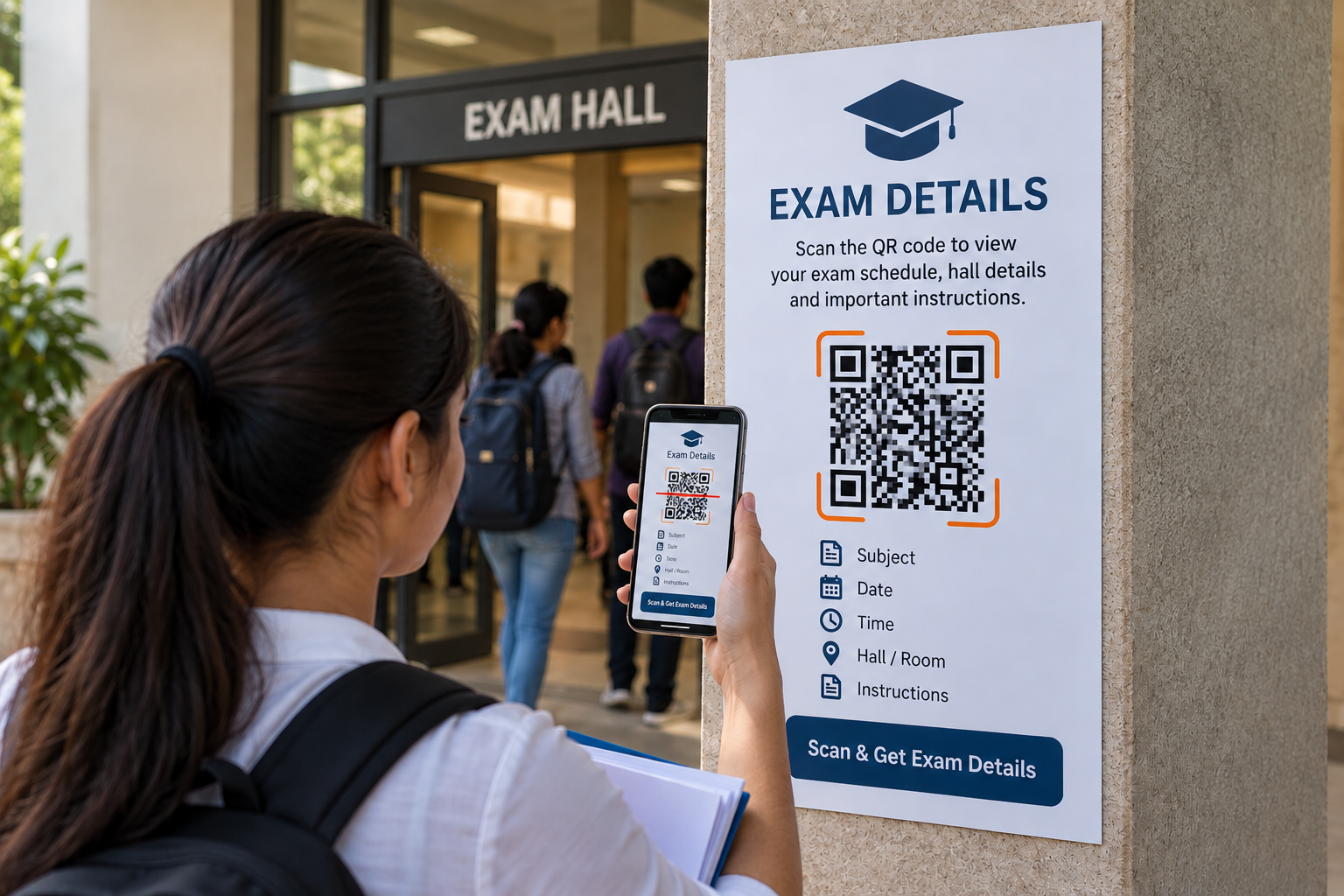
An Exam QR Code offers a simpler way to connect students with exam information through a quick smartphone scan. Instead of repeatedly printing every detail or asking students to search through different messages, an institution can place an Exam QR Code on an examination notice, admit-card communication, notice board, classroom display, or digital announcement. Students can scan the code and access the exam information associated with it. The Spur QR Exam solution provides fields for important details such as exam name, subject, date, time, hall or room, and instructions, making it suitable for creating a focused digital information point for examination communication.
What Is an Exam QR Code?
An Exam QR Code is a scannable QR code designed to provide students with important examination information in a convenient digital format. Instead of making students manually type a website address or search through several documents, the QR code gives them a direct path to the information connected to the examination. The idea is particularly useful because exam-related information is usually time-sensitive. Students may check the same details several times before an examination, especially the date, reporting time, venue, room number, and instructions.
The Spur QR Exam QR generator allows users to enter details such as the exam name, subject, date, time, hall or room, and instructions before generating the QR code. This makes the QR code focused specifically on examination communication rather than acting as a general-purpose link. For educational institutions, this can provide a cleaner way to present exam information while giving students an easy method of accessing the details they need.
Why Exam Information Needs a Simpler Communication System
Examination periods can be stressful even when everything is well organized. Students are preparing for their subjects, remembering deadlines, arranging study materials, and making sure they reach the correct location on time. When examination information is scattered across different channels, a simple question such as “What time is my exam?” or “Which room should I go to?” can become surprisingly difficult to answer.
A student might receive an announcement in a messaging group, find another notice on a college website, and later see an updated notice on a physical board. When several notices are involved, students may not always know which information is the latest or most relevant. A QR-based information system can help by giving students a direct access point for the details associated with a particular exam.
The purpose is not to replace every existing communication channel. Instead, an Exam QR Code can work alongside them. A notice board can still display the announcement, an email can still be sent to students, and a teacher can still make a classroom announcement. The QR code simply provides another convenient way to reach the detailed information.
From Exam Notice Boards to Digital Exam Information
Notice boards remain an important part of academic communication, particularly during examination periods. However, a physical notice has limited space. If an institution wants to display the exam name, subject, date, time, venue, reporting instructions, permitted materials, and other important information, the notice can quickly become crowded.
An Exam QR Code provides a digital extension to the physical notice. The printed announcement can remain clean and easy to read while the QR code gives students a direct way to access the associated details. This can be especially useful when multiple examinations are scheduled during the same period.
For example, an institution could place a QR code beside an exam announcement with a simple instruction such as “Scan for Exam Details.” A student can scan the code and review the relevant information on their smartphone instead of searching through several pages or asking administrative staff for the same details repeatedly.
What Information Can an Exam QR Code Share?
The information connected with an Exam QR Code should answer the most important questions students have before arriving for an examination. The Spur QR Exam generator provides fields specifically for examination information, including Exam Name, Subject, Date, Time, Hall / Room, and Instructions.
These details can create a clear digital reference point for students:
- Exam Name – identifies the examination or assessment.
- Subject – tells the student which paper or subject the information relates to.
- Date and Time – provides the scheduled examination date and time.
- Hall / Room – tells students where they need to report.
- Instructions – communicates important examination rules or preparation requirements.
Keeping these details together can make the student experience much easier because the information is presented as one connected set rather than separate announcements.
Exam QR Codes for Schools
Schools can use QR codes to organize examination communication for students and parents. During school examinations, information about test dates, subjects, classrooms, and instructions may need to be communicated clearly to a large number of students.
An Exam QR Code can be placed on examination circulars, classroom notices, printed schedules, or school notice boards. Students can scan the code whenever they want to check the information.
For younger students, schools may also use the QR code as an additional communication tool for parents. A parent reviewing an examination circular could scan the code and access the associated digital information without needing to search through the school's website.
The advantage is simplicity. The QR code does not require students or parents to understand a complicated system. A smartphone camera can provide the starting point.
Exam QR Codes for Colleges and Universities
Large colleges and universities often manage examinations across multiple departments, semesters, courses, and classrooms. This makes examination communication more complicated than simply announcing one date and one room.
An Exam QR Code can be associated with individual examination notices so that students can access information specific to their subject or examination. This can be particularly useful when different departments have different examination schedules.
For example, an engineering college may have several examinations taking place across multiple buildings. A QR code printed on a department notice can help students access the information relevant to their examination rather than searching through a general timetable.
This approach can also reduce unnecessary administrative questions. When students can independently check basic examination information, staff members can spend less time answering repetitive queries.
Make Hall and Room Information Easier to Access
One of the most important details students need on examination day is the location of their examination. A wrong room or unclear hall information can cause unnecessary stress and delays.
An Exam QR Code can put the Hall / Room information directly alongside other examination details. Instead of relying only on a printed list, institutions can provide a digital reference that students can check from their phones.
This can be especially helpful on campuses with several examination buildings or rooms. Students can scan the code before leaving home, while travelling to campus, or while standing near a notice board.
The QR code therefore becomes more than a technological feature. It becomes a small but practical part of the examination-day experience.
Share Exam Instructions Without Filling the Notice Board
Exam instructions can sometimes be lengthy. Students may need to know what time they should report, what materials they are permitted to bring, what rules apply inside the examination hall, or what procedures they should follow.
Trying to fit every instruction onto a physical notice can make the announcement difficult to read. An Exam QR Code provides an additional digital space for presenting these instructions.
The institution can keep the printed notice concise while allowing students to scan the QR code for the complete information. This approach can make the physical communication easier to understand without removing access to important details.
Good communication is not always about giving students more information. It is about making the right information easier to find.
Exam QR Codes Can Reduce Repeated Questions
During examination season, administrative offices and faculty members can receive the same questions again and again: What is the exam time? Which hall is assigned? What should I bring? When should I report?
When students have an easy way to check this information themselves, some of these repetitive questions can be avoided. Spur QR's education-focused page specifically describes Exam QR as a way to share exam schedules, hall ticket information, seat numbers, and exam rules through a single scan, with the goal of reducing exam-day queries.
This does not mean every administrative question disappears. Students will still need support for individual situations and special circumstances. But making routine information easier to access can help create a more efficient communication process.
Use Exam QR Codes on Examination Notices
One of the easiest ways to introduce Exam QR Codes is to add them directly to existing examination notices.A notice might contain:
Exam Name: Semester Examination
Subject: Mathematics
Date: 15 October
Time: 10:00 AM
Hall: Room 204
Alongside this information, the notice can include a QR code with a simple message such as “Scan for complete exam details and instructions.”
This creates a clear relationship between the physical announcement and the digital information. Students immediately understand why the QR code is there and what they can expect after scanning it.
Use QR Codes on Digital Exam Communications
QR codes are not limited to printed materials. They can also be included in digital communications such as PDFs, emails, presentations, and online announcements.
An institution can send an examination schedule electronically and include the QR code as an additional access point. Students who receive the information on their phones can still scan it using another device, while students who see the announcement printed can scan it directly.
This creates consistency across communication channels. The same concept can be used whether students encounter the information online or offline.
Static and Dynamic Exam QR Codes
Spur QR provides both Static QR and Dynamic QR options on its Exam QR generator, with login required for the dynamic option. Understanding the difference can help institutions choose the right approach.
A static QR code is appropriate when the information is intended to remain fixed. Once generated, the information encoded in a static QR cannot simply be edited.
A dynamic QR code provides more flexibility because the destination can be updated without changing the physical QR code. Spur QR describes dynamic QR codes as editable and trackable, allowing information to be updated while keeping the printed QR code in place.
For examination communication, this flexibility can be valuable when schedules or information need to be updated after printed material has already been distributed. However, institutions should always ensure that any changes are communicated appropriately and that students can clearly identify the current information.
Make the QR Code Part of the Examination Workflow
The best QR code is one that fits naturally into an existing workflow. An institution does not need to redesign its entire examination process to introduce an Exam QR Code.
A simple process could look like this:
Prepare the exam information — enter the exam name, subject, date, time, hall or room, and instructions.
- Generate the Exam QR Code — create the QR code using the examination details.
- Add it to communication materials — place it on notices, schedules, emails, or examination information sheets.
- Share it with students — give students a simple instruction to scan the code.
- Update information when necessary — if using a dynamic QR code, update the linked information when appropriate.
This workflow is simple enough to become part of routine examination administration.
Better Organization for Examination Departments
Examination departments often have to coordinate large amounts of information within limited timeframes. Dates, subjects, halls, instructions, and student communication all need to be managed carefully.
Using QR codes can provide another organizational layer. Instead of depending entirely on printed documents, institutions can connect physical examination materials with digital information.
This can also make the communication experience more consistent. Once students understand that the QR code provides examination information, they know where to look whenever they see one on an official exam announcement.Consistency can be just as valuable as technology itself.
Customizing Your Exam QR Code
An examination QR code does not necessarily have to look like a plain black-and-white square. Spur QR's QR tools provide customization options for patterns, colors, backgrounds, and logos.
An educational institution can use its branding to make the QR code fit naturally into official materials. A school or college logo, institutional colors, or a simple branded frame can help students recognize that the QR code belongs to the institution.
However, design should never compromise scanability. The QR code should remain clear, high contrast, and large enough to scan easily from the distance at which it will be displayed.
Keep the Student Experience Simple
A common mistake with digital tools is making them more complicated than necessary. Students do not need a complicated process just to check an exam time or room number.
The strength of an Exam QR Code is its simplicity. A student sees the code, scans it, and reaches the relevant information. There is no need to remember a long website address or search through multiple pages.
Spur QR's education solutions are designed around this scan-based approach, with QR codes intended to give students quick access to relevant academic information without requiring a dedicated scanning application. The fewer steps between a student and important examination information, the better the communication experience can become.
The Role of QR Codes in Modern Education
QR codes are becoming useful across different areas of educational administration because they provide a bridge between physical and digital information. The same education-focused QR ecosystem can support student identity, course information, examinations, libraries, campus navigation, and other academic requirements.
An Exam QR Code fits naturally into this broader environment. A student might use one QR code to access student information, another for a course syllabus, another for the library, and another for examination details.
This creates a connected campus experience without requiring students to learn a completely different system for every type of information.
Why an Exam QR Code Can Be a Practical Upgrade
The biggest benefit of an Exam QR Code is not simply that it looks modern. It is that it can make important information easier to access at the exact moment students need it.
A well-designed examination QR system can help institutions:
- Give students a direct way to access exam information.
- Keep important details together in one digital location.
- Reduce repetitive questions about dates, times, rooms, and instructions.
- Extend physical notices with more detailed digital information.
- Make examination communication more organized and convenient.
These benefits become particularly relevant when many students need the same information at the same time.
Conclusion
Examinations require clear communication. Students need to know their exam name, subject, date, time, hall or room, and instructions without having to search through multiple sources. An Exam QR Code provides a simple way to bring these details together and make them accessible through a smartphone scan.
With Spur QR's Exam QR generator, institutions can enter the essential examination information and generate a QR code that can be placed on notices, schedules, digital communications, and other examination materials. The availability of static and dynamic options also gives institutions flexibility depending on whether their information is fixed or may need to be updated later.
For schools, colleges, universities, coaching centres, and other educational organizations, the idea is simple: put important exam information where students can reach it quickly. Instead of making students search, ask, or wait for clarification, give them a direct digital path with one scan.
An Exam QR Code may be a small addition to an examination notice, but it can make the overall communication process feel much more organized, accessible, and student-friendly.