Table of Contents
- Library QR Code: Make Library Information Easy to Access
- What Is a Library QR Code?
- What Information Can a Library QR Code Include?
- Make Library Timings Easier to Find
- Share Library Rules Digitally
- Connect Users With the Library Website and OPAC
- Help Visitors Find the Library Location
- Use QR Codes on Library Cards
- Put QR Codes Inside Reading Areas
- How to Create a Library QR Code
- Static and Dynamic Library QR Codes
- A Simple Digital Upgrade for Libraries
- Conclusion
Library QR Code: Make Library Information Easy to Access
Libraries today are not only about books and reading spaces. They also provide important information about timings, membership, rules, online catalogs, locations, and other services. The challenge is making all this information easy for students, teachers, members, and visitors to find when they need it. A Library QR Code offers a simple solution. Instead of asking staff for basic information or searching through different notices and web pages, visitors can scan one QR code with their smartphone and access the library information digitally.
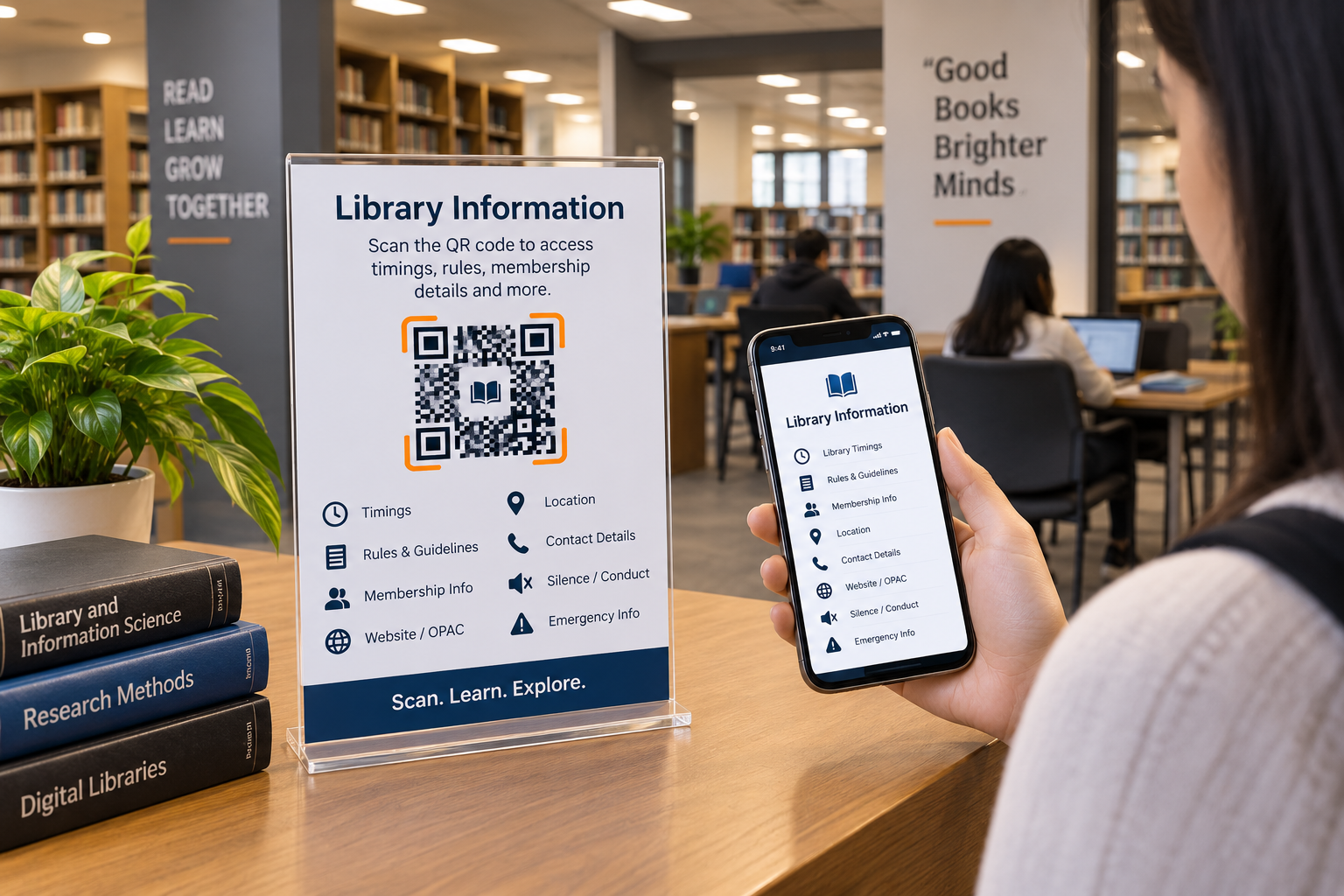
With a Library QR Code, a school, college, university, or public library can create one convenient information point for its visitors. The QR code can be placed at the library entrance, on a notice board, on a library card, or inside a reading area. Spur QR's Library QR Code tool allows libraries to add details such as the library name, timings, rules and guidelines, contact details, Google Maps URL, library type, membership information, silence or conduct notes, website or OPAC URL, and emergency instructions.
What Is a Library QR Code?
A Library QR Code is a scannable code that gives users quick access to important library information. The idea is simple: instead of searching for information manually, a visitor scans the QR code and gets the details connected to the library.
For example, a student visiting a college library for the first time may want to know its opening hours, membership rules, location, or online catalog. Rather than searching through different sources, the student can scan the Library QR Code and find the information in one place.
This makes the QR code useful not only for regular library members but also for new students, visitors, teachers, and parents.
What Information Can a Library QR Code Include?
A good Library QR Code should provide information that people are most likely to need. The Spur QR Library tool provides dedicated fields for several important details, making it possible to organize library information clearly.
Some useful information includes:
- Library Name and Timings – Help visitors know where the library is and when it is open.
- Rules and Guidelines – Provide important instructions for using the library.
- Contact Details – Make it easier to reach library staff.
- Google Maps URL – Help new visitors find the library location.
- Membership Information – Explain membership-related details.
- Website / OPAC URL – Give users access to the library's online resources or catalog.
- Silence / Conduct Notes – Share reading-room and behavior guidelines.
- Emergency Instructions – Keep important emergency information accessible.
By bringing these details together, the QR code can become a simple digital information hub for the library.
Make Library Timings Easier to Find
Library timings are one of the most frequently needed pieces of information. Students may visit before classes, after lectures, or during study hours, while visitors may need to check the opening schedule before travelling to the library.
A Library QR Code can provide quick access to these timings. It can be displayed near the entrance so that anyone arriving at the library can scan it and check the available information.
This is especially useful when operating hours change during examinations, holidays, weekends, or special academic schedules.
Share Library Rules Digitally
Libraries need rules to maintain a quiet and comfortable environment. Students may need reminders about keeping phones silent, maintaining cleanliness, handling books carefully, or following library procedures.
Instead of covering a notice board with lengthy instructions, a QR code can provide an additional digital location for the complete guidelines. The physical sign can remain simple while visitors can scan the code whenever they want to read the details.
This makes information available without making the library entrance look crowded with multiple posters.
Connect Users With the Library Website and OPAC
Many libraries provide online catalogs where users can search for books and other resources. However, students may not always remember the website address or know where to find it.
A Library QR Code can connect directly to the Website / OPAC URL entered by the library. This means users can scan the code and continue their search digitally from their smartphone.
It creates a useful connection between the physical library and its online resources, allowing users to move from the library entrance or reading area to the digital catalog with very little effort.
Help Visitors Find the Library Location
Large educational campuses can sometimes be confusing for new students and visitors. A Library QR Code can include a Google Maps URL so that users can quickly find the library's location.
This can be particularly useful for new students, parents, guests, or visitors attending an institution for the first time. Instead of searching manually, they can scan the QR code and open the location directly.
Use QR Codes on Library Cards
A library card is another practical place for a QR code. Students already carry these cards, so adding a QR code can give them another convenient way to access library information.
A QR code on a library card could connect members with information such as timings, membership details, library rules, contact information, and the online catalog.This turns a traditional library card into a simple connection between the physical library and its digital information.
Put QR Codes Inside Reading Areas
Reading rooms are places where users may need quick access to conduct guidelines without disturbing others. A small QR code can provide a discreet way to access information about silence, phone usage, and other reading-room expectations.
Spur QR includes a Silence / Conduct Notes field in its Library QR Code generator, making this type of information part of the digital library profile.This approach can reduce the need for large instruction boards while still keeping important information accessible.
How to Create a Library QR Code
Creating a Library QR Code can be a straightforward process. First, enter the library information into the available fields, add the relevant links and instructions, and then generate the QR code. Spur QR's Library QR page provides the fields needed to organize these details.
A simple process is:
- Enter the library name, timings, rules, and contact details.
- Add location, membership, OPAC, conduct, and emergency information where required.
- Generate the QR code.
- Place it at useful locations such as the library entrance, notice board, library card, or reading room.
The goal is not to make library management complicated. It is to make everyday information easier for visitors to access.
Static and Dynamic Library QR Codes
Spur QR's Library QR page provides both Dynamic QR and Static QR options, with the page indicating that login is required for Dynamic QR.
A static QR code can be suitable when the information is expected to remain unchanged. A dynamic QR code can be useful when information may need to be updated later. This can be helpful for details such as timings, website links, or other library information that may change over time.
Choosing between the two depends on how the library plans to manage its information.
A Simple Digital Upgrade for Libraries
The biggest advantage of a Library QR Code is not simply that it uses modern technology. Its real value is convenience. Students and visitors can get useful information without searching through multiple notices or asking staff for routine details.
A single QR code can connect users with:Library Information → Timings → Rules → Membership → Location → OPAC → Contact → Conduct Information
This creates a simple digital pathway while keeping the physical library environment clean and organized.
Conclusion
A Library QR Code is a simple way for educational institutions and libraries to make important information easier to access. Instead of relying only on printed notices, libraries can create a digital information point that visitors can reach with one smartphone scan.
From library timings and rules to membership information, contact details, location, OPAC links, conduct notes, and emergency instructions, the QR code can bring useful information together in one place. Spur QR's Library QR Code generator is designed specifically for creating this type of library information QR code.
For schools, colleges, universities, and other libraries, the idea is straightforward: make information available where people need it. A QR code at the entrance, on a library card, or inside a reading room can give students and visitors a quick digital connection to the library.
It is a small addition, but it can make everyday library communication simpler, faster, and more convenient.