Table of Contents
- Phone QR Codes: Make It Easier for Customers to Call Your Business Instantly
- Why Businesses Still Need a Faster Way to Receive Calls
- What Is a Phone QR Code?
- From Seeing a Phone Number to Making a Call
- A Phone QR Code Is Especially Useful for Mobile Customers
- Make Your Call-to-Action Clear
- Phone QR Codes for Business Cards
- Turn Print Advertisements Into Call Opportunities
- Phone QR Codes for Event Booths
- Phone QR Codes on Company Vehicles
- Phone QR Codes for Customer Support
- Phone QR Codes for Sales Enquiries
- International Phone Numbers Made Easier
- Static or Dynamic Phone QR Code: Which Should You Use?
- Why Dynamic QR Codes Can Help Growing Businesses
- QR Analytics Can Help Businesses Understand Campaign Performance
- Make Your Phone QR Code Match Your Brand
- Where Should You Place a Phone QR Code?
- How to Create a Phone QR Code
- Common Mistakes to Avoid
- Phone QR vs Manually Typing a Number
- Why Phone QR Codes Can Improve Offline Customer Experiences
- The Future of QR-Based Calling
- Final Thoughts
Phone QR Codes: Make It Easier for Customers to Call Your Business Instantly
A phone call can still be one of the most valuable ways for a customer to connect with a business. Whether someone wants to ask about a product, check availability, request a quotation, book a service, speak with customer support, or simply get directions, a direct conversation can often solve the need faster than a long online journey.
Yet businesses still commonly display phone numbers on posters, advertisements, brochures, storefronts, vehicles, business cards, and product materials and expect customers to manually type those numbers into their phones.
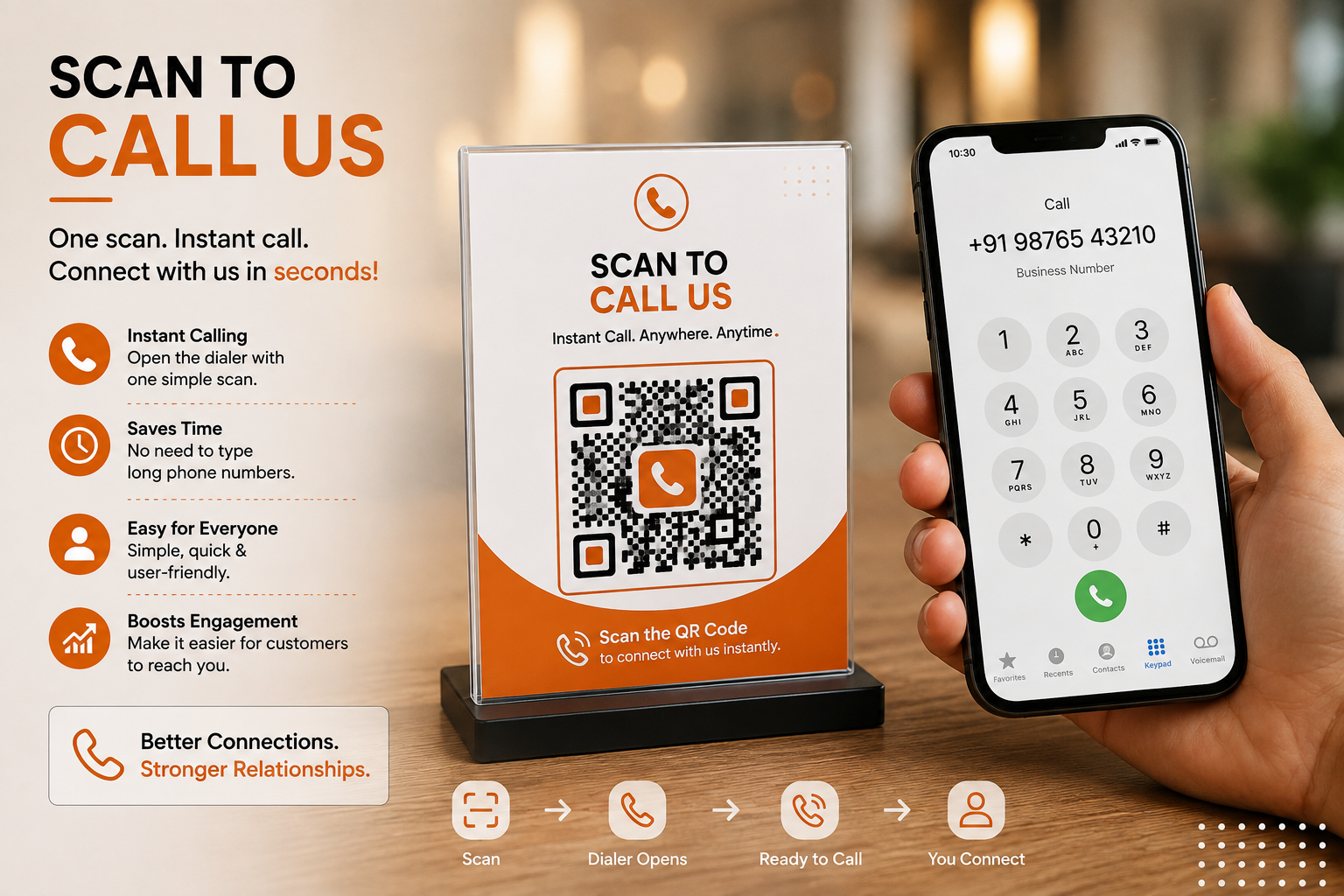
That may seem like a small task, but every extra step can create hesitation. A customer may see a number, take a photo, save it for later, or decide to search for the business online instead. A Phone QR Code offers a much simpler alternative: the customer scans the QR code and the phone dialer opens with the business number already prepared.
Spur QR's Phone QR Code tool is specifically designed to let users enter a country code and phone number, generate a scannable code, and use it across print or digital materials. The platform also supports QR customization with colors, patterns, corner styles, and logos.
Why Businesses Still Need a Faster Way to Receive Calls
Calling a business sounds simple, but the traditional process often involves more effort than people realize. A customer might see a phone number on a billboard while travelling, notice it on a storefront, read it on a flyer, or find it printed on a product package.
If the customer wants to call, they have to remember or copy the number, open the phone application, type the digits, check that they entered them correctly, and then make the call.
If the number is international or includes a country code, the process can become even more inconvenient. A single incorrect digit can send the call to the wrong person or prevent the call from connecting at all. A Phone QR Code removes much of this manual work by turning the printed number into an interactive action.
Instead of asking customers to type, the business can invite them to scan and call. Spur QR's phone QR page describes the experience as opening the phone dialer with the number pre-filled on a smartphone, making the interaction particularly suitable for situations where immediate communication matters.
This difference becomes more important when the customer is already interested. Imagine someone standing outside a service center after business hours and wanting to ask whether an appointment is available the next morning.
A printed phone number gives them the information, but a QR code can give them an immediate action. The customer scans, sees the number in the dialer, and can decide whether to call.
The same principle can work for a property advertisement, a vehicle sticker, a restaurant promotion, a professional business card, a service advertisement, or an event booth. The QR code does not replace the phone number; it makes the phone number easier to use.
What Is a Phone QR Code?
A Phone QR Code is a QR code created specifically to initiate a phone call. Instead of encoding a website, document, menu, or social profile, it contains phone information that allows a smartphone to recognize the intended number and open the calling interface.
Spur QR's Phone QR Code generator asks users to enter a country code and phone number and then provides a QR code that can be generated and customized.
The page also states that static Phone QR Codes can be created without an account, while dynamic QR functionality requires login.
The concept is straightforward, but its usefulness comes from where the code is placed. A QR code on a business card can provide an immediate call option. A code on a storefront can connect customers to a support line. A code on a company vehicle can give people a way to reach the business or driver.
A code on a printed advertisement can turn an interested reader into a caller. A code at an event booth can help visitors reach the representative without searching through their phone later. Spur QR lists business cards, storefronts, advertisements, event booths, and vehicle stickers among the practical use cases for Phone QR Codes.
From Seeing a Phone Number to Making a Call
The real advantage of a Phone QR Code is that it changes the customer's behaviour from passive viewing to immediate action. A normal phone number is information. A Phone QR Code can become an interaction point.
Think about a customer looking at a real estate signboard. The sign may show the agent's phone number, but the customer may not want to manually type it while standing outside the property.
A QR code placed beside a clear message such as “Scan to Call the Property Advisor” creates a more direct route. The customer can scan the code, review the number in the dialer, and call if they are ready.
The same idea works for service businesses. A customer looking at an appliance repair advertisement may need assistance immediately. Instead of copying a number from a poster, the customer can scan and call. For a restaurant, the QR code could connect to a reservation or enquiry number.
For an automotive business, it could connect to a service desk. For an event, it could connect to the event coordinator. The technology is identical, but the customer purpose changes depending on the environment.
A Phone QR Code Is Especially Useful for Mobile Customers
The smartphone is already the customer's communication device, which makes QR-to-call interactions naturally convenient. There is no need to move from one device to another or remember information for later. The physical material provides the QR code, and the smartphone performs the next action.
This is especially useful for printed marketing because printed materials normally cannot respond to customers. A poster cannot know whether someone wants to call.
A brochure cannot automatically open the phone application. A vehicle sticker cannot know whether someone has noticed the business number. A QR code adds an interactive layer to these physical materials.
This is one reason QR technology is increasingly useful as a connection between offline and digital experiences. Spur QR positions its Phone QR solution for business cards, banners, packaging, advertisements, storefronts, events, and vehicles, showing how a simple printed QR code can create a direct smartphone action.
Make Your Call-to-Action Clear
A Phone QR Code should not be placed on a marketing material without explaining what it does. Customers need to understand the action before they decide to scan. A simple phrase can make the purpose immediately clear.
Instead of only writing “Scan QR,” a business can use:
- Scan to Call Us
- Scan to Speak With Our Team
- Scan to Call for Enquiries
- Scan to Contact Support
- Scan to Book an Appointment
- Scan to Talk to a Sales Expert
The wording should match the business goal. If the QR code connects to customer support, the message should communicate support. If it connects to sales, the customer should understand that they are reaching the sales team. If it connects to a property advisor, say so clearly. The purpose is to remove uncertainty and make the customer's next step obvious.
Phone QR Codes for Business Cards
Business cards are one of the most natural applications for Phone QR Codes because their main purpose is to help people connect. A traditional business card may already contain a phone number, but adding a QR code gives the recipient a faster way to initiate the call.
This can be especially useful for professionals who meet many people during networking events, conferences, exhibitions, client meetings, or sales visits.
Instead of expecting someone to manually save a number and remember to call later, the QR code provides a direct call option while the interaction is still fresh. A person can scan the code and decide whether to call immediately.
The business card can still contain the phone number in normal text because the QR code should complement the traditional information rather than replace it entirely. This gives the recipient flexibility: they can save the number manually or use the QR code for faster access.
Turn Print Advertisements Into Call Opportunities
Print advertising is often designed to generate awareness, but a Phone QR Code can give the audience an immediate response mechanism. A newspaper advertisement, magazine promotion, flyer, poster, brochure, or outdoor advertisement can include a QR code beside a phone-related call-to-action.
Consider a home renovation company advertising its services. The advertisement could contain a headline about renovation solutions, a short explanation of services, a phone number, and a QR code saying “Scan to Talk to Our Team.” Someone interested in the service does not need to copy the number manually. They can scan the code and begin the call process.
The same idea can work for education institutes, insurance advisors, travel agencies, healthcare businesses, automotive services, property consultants, repair services, and many other industries where a direct conversation can help answer questions.
Phone QR Codes for Event Booths
Events and exhibitions are often crowded environments where businesses have limited time to interact with visitors. A visitor may stop at a booth, ask a question, receive a brochure, and continue walking. If they want to contact the business later, they may have to search through the material or save the number manually.
A Phone QR Code can provide an immediate contact option. A booth can display a message such as “Have Questions? Scan to Call Our Team.” Visitors can scan the code and have the number ready on their phones.
Spur QR lists event booths as one of the intended use cases for Phone QR Codes, allowing visitors to reach the booth contact without searching for the number themselves.
For businesses that participate in multiple events, QR codes can also help create a consistent visual identity across booth graphics, brochures, presentation materials, and promotional displays.
Phone QR Codes on Company Vehicles
Vehicles are mobile advertising spaces. A company car, delivery vehicle, service van, taxi, truck, or commercial vehicle can travel through areas where potential customers may see the business name and contact details.
Traditionally, vehicles display a phone number and website. Adding a Phone QR Code can turn that contact information into an interactive element.
A person may see a service vehicle parked outside a building and want to contact the company. Rather than writing down the number, they can scan the QR code.
Spur QR specifically includes vehicle stickers as a Phone QR use case, allowing people to reach an office or driver through a scan.
Of course, QR codes on moving vehicles are intended for situations where scanning can be done safely, such as when the vehicle is parked. The goal should always be convenient access, not encouraging unsafe scanning while driving.
Phone QR Codes for Customer Support
Customer support is often time-sensitive. When someone needs assistance, they may not want to navigate through several webpages or search through an FAQ section before finding a phone number. A Phone QR Code can provide a direct contact route.
A product package, service document, equipment label, reception desk, or support counter could display a QR code with a clear message such as “Need Assistance? Scan to Call Support.” The customer can then access the phone number quickly.
This approach can be particularly useful for businesses where phone communication is more effective than long written forms. A customer describing a technical problem, service requirement, booking issue, or urgent question may find a phone conversation easier than typing a detailed message.
Phone QR Codes for Sales Enquiries
Sales conversations often begin with a question. A customer may want to know the price, availability, customization options, delivery timeline, service package, or product specifications. If the business makes the sales number difficult to access, the customer may postpone the enquiry.
A QR code can reduce that friction. A printed advertisement could say “Interested? Scan to Speak With Sales.” A product brochure could say “Need Pricing? Scan to Call.” A trade show display could say “Talk to Our Sales Team.”
The objective is not to force customers to call. It is to make calling easier for customers who are already interested.
International Phone Numbers Made Easier
Phone numbers can become confusing when customers need to include country codes. Spur QR's Phone QR Code generator supports country codes and states that it works with international country codes rather than being limited to one country.
This can be useful for businesses that work with international clients, suppliers, travellers, customers, or partners. Instead of displaying a number and leaving customers to figure out which country prefix they need, the QR code can encode the relevant phone information.
For global businesses, this can make printed communication more consistent. A brochure distributed in multiple regions can still provide a simple QR-based call option while retaining the visible phone number for people who prefer manual calling.
Static or Dynamic Phone QR Code: Which Should You Use?
The choice between static and dynamic QR codes depends on what the business needs. A static QR code contains fixed information and is useful when the phone number is expected to remain unchanged.
Spur QR states that static QR codes can be generated without an account and are free to create, making them suitable for straightforward uses.
A dynamic QR code provides additional flexibility because its destination can be updated later. Spur QR explains that dynamic QR codes can be edited after printing and can provide scan analytics, while static QR codes remain fixed.
For a simple personal business card where the number is unlikely to change, static may be sufficient. For a marketing campaign involving thousands of printed materials, a dynamic approach may be more useful when flexibility and performance tracking matter.
Why Dynamic QR Codes Can Help Growing Businesses
Business contact information can change. A sales representative may leave the company, a support number may change, a branch may move to another department, or a company may decide to route calls differently. If a QR code has already been printed on thousands of brochures, replacing every brochure may not be realistic.
A dynamic QR code can provide a way to manage the destination without changing the printed QR graphic. Spur QR describes this as one of the key advantages of dynamic QR codes: the destination can be updated even after the code has been printed.
This can make QR campaigns more adaptable, especially for businesses that use long-running advertisements, packaging, signage, vehicle branding, or other printed materials.
QR Analytics Can Help Businesses Understand Campaign Performance
A Phone QR Code is primarily designed to make calling easier, but when businesses use dynamic QR technology, scan analytics can add another layer of information. Spur QR states that its dynamic QR codes can track scan counts, unique scans, device types, geographic locations, and scan trends over time.
This information can help businesses understand which physical placements are receiving attention. For example, a company could use separate QR codes for a flyer, storefront, event booth, and vehicle. If one code receives significantly more scans, the business gains another signal about which marketing channel is attracting engagement.
It is important to distinguish between a scan and a completed phone call. A scan shows that someone interacted with the QR code, while it does not necessarily prove that a call was completed. Businesses should therefore use QR analytics as one part of campaign evaluation rather than treating scan numbers as direct proof of sales or calls.
Make Your Phone QR Code Match Your Brand
QR codes are often treated as purely technical elements, but they can also be part of a visual identity. Spur QR allows users to customize the QR code using foreground and background colors, gradients, dot patterns, corner styles, and uploaded logos.
For a business, this means the QR code can be designed to fit a brochure, storefront, business card, poster, or packaging concept. An orange brand might use orange accents, a technology company might use a clean minimal design, and a professional service provider might choose a restrained corporate style.
However, design should never make the QR code difficult to scan. The most attractive QR code is not useful if customers cannot scan it. Spur QR recommends testing customized QR codes across multiple devices before distributing them at scale.
Where Should You Place a Phone QR Code?
Placement can influence whether people notice and scan the code. A QR code should be positioned where customers can comfortably see it and, where appropriate, safely use their phones. The surrounding text should explain the action.
Good locations can include:
- Business cards and brochures
- Storefronts and reception counters
- Printed advertisements and promotional posters
- Event booths and exhibition displays
- Company vehicles when parked
- Product or service information materials
- Sales and customer-support displays
The exact placement depends on the customer's situation. A QR code on a small business card can be compact, while a code on a large storefront or poster can be more prominent. The physical environment should always be considered when deciding size and placement.
How to Create a Phone QR Code
Creating a Phone QR Code can be a straightforward process. Spur QR's current Phone QR page presents a simple workflow: enter the country code and phone number, generate the QR code, customize its appearance if required, and download it for use.
The process can be summarized as:
Step 1: Enter the appropriate country code and phone number.
Step 2: Generate the Phone QR Code.
Step 3: Customize the pattern, color, corner style, or logo if required.
Step 4: Test the code on a smartphone before printing or publishing it.
This simplicity makes Phone QR Codes practical even for businesses that do not have a technical team.
Common Mistakes to Avoid
Adding a Phone QR Code is easy, but businesses should avoid treating it as just another graphic. The first mistake is not explaining what the QR code does. The second is making the code too small or placing it in a location where scanning is inconvenient. The third is using a design with insufficient contrast. The fourth is failing to test the code before printing thousands of copies.
Another mistake is sending customers toward a number that is no longer monitored. A QR code may technically work, but if nobody answers the call, the customer experience can still fail. Businesses should ensure that the phone number connected to the QR campaign is active and appropriate for the intended purpose.
It is also worth remembering that a Phone QR Code should complement other contact options. Some customers will prefer calling, while others may prefer email, WhatsApp, a website, or a digital contact card. QR technology works best when it fits naturally into the customer's preferred communication journey.
Phone QR vs Manually Typing a Number
The difference between the two approaches is simple but meaningful. With a traditional phone number, the customer has to transfer information manually from the physical material to the phone. With a Phone QR Code, the customer uses the camera as the bridge.
This is particularly useful when a number is long, international, difficult to remember, or displayed temporarily. The QR code reduces the possibility of typing errors and saves time.
The experience can be summarized as:
Traditional: See number → remember/copy → open dialer → type number → check number → call.
Phone QR: See QR → scan → number appears in dialer → call.
The QR approach does not eliminate the need for the customer to make the final decision. It simply makes the path to that decision easier.
Why Phone QR Codes Can Improve Offline Customer Experiences
Many businesses invest heavily in making their physical marketing visually attractive, but the physical experience often ends with information. A customer sees a product, service, advertisement, or business name and then has to take the next step independently.
A Phone QR Code changes that by adding an action directly to the physical environment. A poster can become a call point. A vehicle can become a contact point. A business card can become an interactive networking tool. A storefront can become a support channel.
This is the broader value of QR technology: it connects something customers can see in the physical world with an action their smartphone can perform immediately.
The Future of QR-Based Calling
As businesses continue connecting offline marketing with digital experiences, Phone QR Codes can become one part of a broader QR strategy. A company may use one QR code for calling, another for WhatsApp, another for email, another for its website, and another for a digital business card. The important thing is not to use QR codes simply because they are available. Each code should solve a specific customer need.
For a customer who wants to speak to someone, the Phone QR Code is direct. It does not require a complicated landing page or multiple navigation steps. It simply creates a faster path to a conversation.
That makes it particularly relevant for businesses where personal communication is important. Sales, support, bookings, enquiries, service requests, consultations, and local business communication can all benefit from a simple call-oriented QR experience.
Final Thoughts
A phone number is one of the most basic ways for customers to connect with a business, but the way that number is presented can determine how easy it is to use. A customer may be interested enough to call but still postpone the action because typing a number feels inconvenient.
A Phone QR Code turns that static contact information into a simple interactive experience. One scan can open the phone dialer with the intended number ready, reducing manual entry and giving customers a more convenient path to contact the business. Spur QR supports Phone QR Code generation with country code support, instant dial functionality, customization options, and downloadable QR designs for print and digital use.
The strongest use cases are often the most practical ones. A business card can let someone call with a scan. A storefront can give customers instant access to support. An advertisement can encourage direct enquiries. An event booth can make it easier to contact a representative.
A parked company vehicle can provide a quick connection to the business. In each case, the QR code does one important job: it reduces the distance between seeing a business and contacting it.
For businesses looking to connect physical marketing with smartphone actions, that simplicity can be valuable. The goal is not to replace every traditional contact method. It is to give customers an easier choice when they are ready to speak.
See a phone number. Scan the code. Open the dialer. Make the call.That is the simple idea behind Phone QR Codes—and sometimes, making the next step easier is exactly what a customer needs.