Table of Contents
- SMS QR Codes: Turn One Scan Into an Instant Customer Message
- What Is an SMS QR Code?
- Why Pre-Filled SMS Messages Can Make Communication Easier
- How an SMS QR Code Works
- The Difference Between a Phone QR Code and an SMS QR Code
- SMS QR Codes for Customer Support
- SMS QR Codes for Delivery Updates
- SMS QR Codes for Feedback
- SMS QR Codes for Marketing Campaigns
- Make the Message Around the QR Code Clear
- An SMS QR Code Can Be Useful on Product Packaging
- SMS QR Codes for Retail Businesses
- SMS QR Codes at Events and Promotions
- Pre-Filled Messages Should Help, Not Restrict
- SMS QR Codes Can Reduce Typing Errors
- Static and Dynamic SMS QR Codes
- Why Dynamic QR Codes Can Be Useful for SMS Campaigns
- SMS QR Codes and Customer Experience
- SMS QR Codes Can Connect Offline Marketing With Digital Communication
- Branded SMS QR Codes Can Strengthen Recognition
- Where Should You Place an SMS QR Code?
- Best Practices for Creating an SMS QR Code
- Common SMS QR Code Mistakes
- How to Create an SMS QR Code With Spur QR
- The Future of SMS QR Codes
- Final Thoughts
SMS QR Codes: Turn One Scan Into an Instant Customer Message
Text messaging remains one of the simplest ways for people to communicate. Unlike many digital channels that require a customer to open a website, find a contact page, complete a form, or search for a business profile, an SMS message can be direct and personal. However, businesses often make the process harder than it needs to be by displaying only a phone number and expecting customers to manually create a text message.
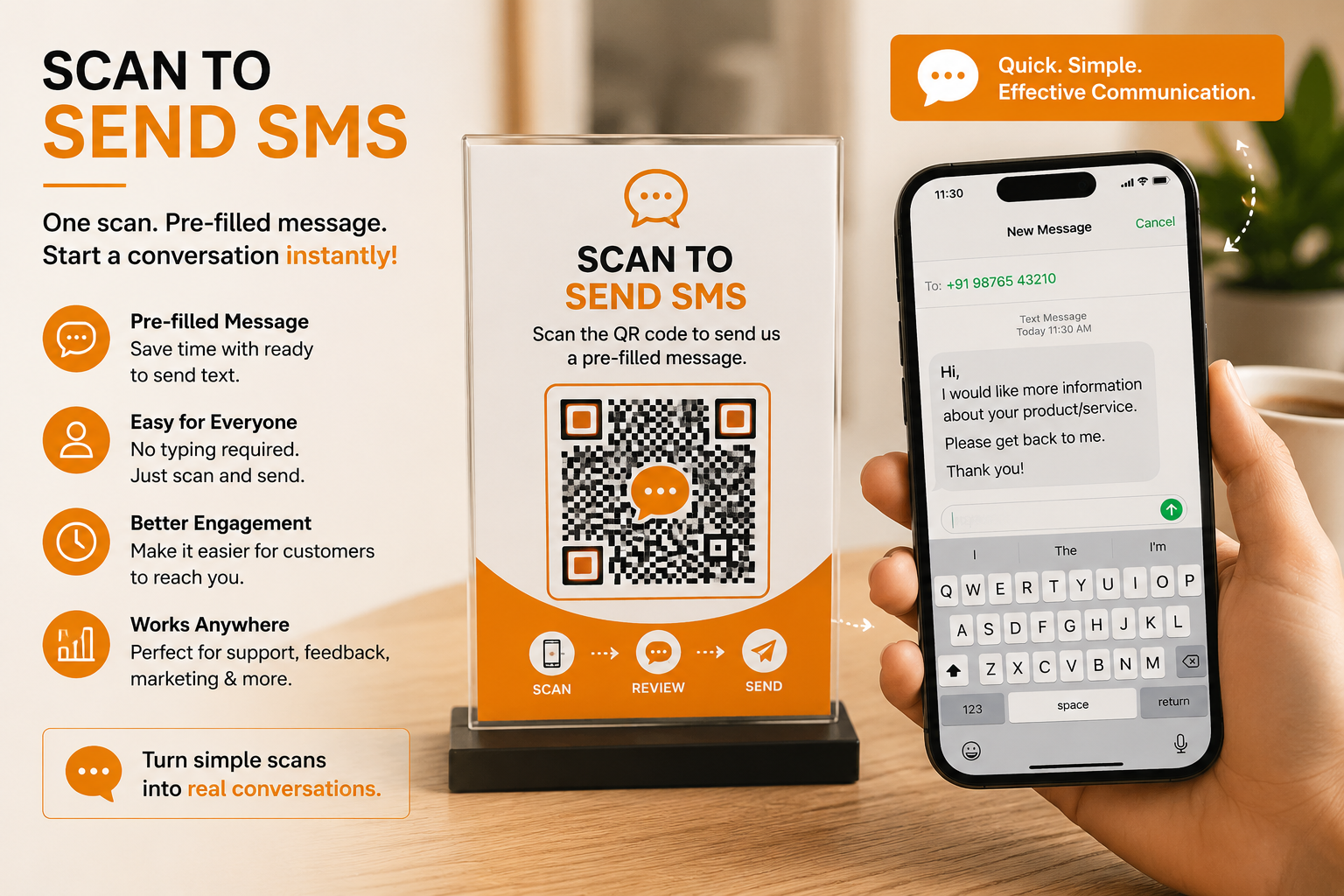
A customer may know that they want to ask a question, request information, share feedback, or contact support, but they still have to type the recipient's number and write the message themselves. An SMS QR Code provides a practical way to remove those extra steps. Instead of asking customers to manually enter a number and compose a message, a business can create a QR code that opens a pre-filled SMS on the customer's smartphone.
The recipient number can already be included, and the message can be prepared in advance so the customer can review it, make changes if needed, and tap send. Spur QR's SMS QR Code solution is designed specifically for creating QR codes that open pre-filled text messages on mobile devices, with support for standard SMS functionality on Android and iPhone.
What Is an SMS QR Code?
An SMS QR Code is a QR code created to start a text-message interaction. Instead of encoding a website, contact card, or general text, the QR code contains information that can open the phone's messaging interface with a specific recipient and optional message already prepared.
This makes it particularly useful when a business wants customers to send a text without making them type the phone number manually. Spur QR's SMS QR Code page allows users to enter the recipient's phone number and optionally add a pre-filled message before generating the QR code.
The platform describes the process as entering the recipient number, adding an optional message, generating the QR code, and then customizing and downloading it.
The important difference is that an SMS QR Code is not simply another way to display a phone number. It creates an action. A printed phone number tells a customer who to contact, while an SMS QR Code can help prepare the actual message.
That can be valuable in situations where a customer needs to communicate quickly but may not want to spend time typing. Imagine seeing a product display and wanting more information, standing at a delivery location and needing an update, or visiting a business and wanting to provide feedback. Instead of remembering a number and composing a message later, the customer can scan the QR code and start the intended SMS interaction immediately.
Why Pre-Filled SMS Messages Can Make Communication Easier
The biggest benefit of an SMS QR Code is convenience. People are already comfortable using messaging applications on their phones, but even a simple text requires several actions.
The customer needs to open the messaging application, enter the recipient's number, create a new message, and type something that explains why they are contacting the business. When a QR code can prepare part of that interaction, the customer can move from interest to communication more quickly.
This matters because customer attention does not always last. Someone may see a promotional offer and think about contacting the business, but if the process is inconvenient, they may postpone it. A QR code gives the customer an immediate next step while the reason for contacting the business is still fresh.
The customer can scan the code, see the prepared message, change anything they want, and send it. Spur QR specifically highlights the ability to pre-fill a message so recipients can scan and tap Send without having to type the content manually.
The experience is especially useful when the same type of message is expected from many customers. A business might want customers to request a quotation, ask for product information, request delivery updates, submit feedback, or contact support.
Rather than asking every customer to figure out what to write, the business can provide a useful starting message.
How an SMS QR Code Works
The process behind an SMS QR Code is simple enough for customers to understand without any technical knowledge. A business first decides which phone number should receive the messages. It can then create an optional pre-filled message that explains what the customer wants. Once the QR code is generated, it can be customized and placed on physical or digital marketing materials.
When a customer scans the QR code using a smartphone, the SMS interface opens with the intended recipient and prepared message. The customer can review the information, edit the message if necessary, and send it. Spur QR states that its SMS QR Codes use the standard sms: protocol and are designed to work with Android and iPhone devices.
The simplicity of this process is important. Customers do not need to learn how the QR code works. They only need to understand the message around it, such as “Scan to Request Information” or “Scan to Contact Support.” The technology works behind the scenes while the customer simply sees a convenient communication option.
The Difference Between a Phone QR Code and an SMS QR Code
A Phone QR Code and an SMS QR Code may appear similar because both use a smartphone and a phone number, but they are designed for different customer behaviours.
A Phone QR Code is intended to open the dialer and make calling easier. An SMS QR Code is intended to start a text conversation.
This distinction can help businesses choose the right communication method for different situations. Some customers may prefer speaking directly with a representative, while others may feel more comfortable sending a message.
A service business could therefore use a Phone QR Code for urgent enquiries and an SMS QR Code for routine requests. A retailer might use SMS for product enquiries or order updates, while a support team could use SMS for simple assistance requests.
The right choice depends on what the customer needs to communicate and how the business wants to respond.
SMS QR Codes for Customer Support
Customer support is one of the clearest applications for SMS QR technology. When customers have a problem, they often want a quick way to reach the company without navigating through several pages or searching for the correct contact number. A support QR code can make that process much more direct.
For example, a product package could include a small message saying “Need Help? Scan to Message Support.” After scanning, the customer could see a prepared message such as, “Hi, I need help with my product.” They can then add more information before sending it to the support team.
This approach can also help businesses organize incoming requests. A predefined message can indicate the general reason for the communication, allowing the support team to understand the context more quickly.
Spur QR specifically identifies customer support as a use case for SMS QR Codes and describes the ability to let customers send a support enquiry with a pre-filled message.
SMS QR Codes for Delivery Updates
Delivery communication is another practical situation where SMS can be more convenient than a long online process. A package recipient may want to ask about delivery status, timing, or an issue with receiving the order.
A QR code placed on packaging or delivery-related materials can provide a direct way to start that communication.
For example, a package could include:“Need a Delivery Update? Scan to Text Us.”
The QR code could prepare a message such as:“Hi, I would like an update about my delivery.”
The customer can add an order number or additional details before sending. Spur QR lists delivery alerts as one of its SMS QR use cases and explains that QR codes can be added to packages so recipients can text for delivery status.
This type of experience is particularly useful because the customer already has the physical package or delivery material in front of them. The QR code turns that physical interaction into an immediate communication channel.
SMS QR Codes for Feedback
Feedback collection is another area where reducing effort can encourage more customer participation. Businesses often ask customers to send feedback, but customers may not know where to send it or what they are expected to write. A QR code can make the invitation much clearer.
A restaurant, store, service center, event, or business office could display a message such as “Tell Us What You Think — Scan to Send Feedback.” The SMS could open with a simple starting message like, “Hi, I would like to share feedback about my experience.”
The customer can then add their comments and send the message. Spur QR specifically lists feedback collection as a use case and describes using a pre-filled feedback message so customers can send ratings or comments with one scan.
The goal is not to force customers to send feedback. It is to make the communication path simple enough that interested customers can respond without unnecessary effort.
SMS QR Codes for Marketing Campaigns
Marketing campaigns often need a clear customer action. A business may want customers to request more information, participate in an offer, ask for pricing, or opt into a promotional conversation. SMS can provide a direct communication channel for these actions.
Imagine a printed advertisement promoting a new service. Instead of only showing a phone number or website, the advertisement could include:“Want More Details? Scan to Text Us.”
The QR code can prepare a message such as:“Hi, I would like more information about this offer.”
The customer can send the message immediately. This creates a simple connection between the physical advertisement and the business's messaging channel. Spur QR identifies marketing campaigns as a practical SMS QR application and describes using QR codes on advertisements to trigger a text opt-in message.
This approach can be particularly useful for offline campaigns because it gives customers an action to take instead of leaving them with only awareness.
Make the Message Around the QR Code Clear
A QR code by itself does not explain what will happen after scanning. The words placed next to it are therefore an important part of the customer experience. A good call-to-action should tell people what they will accomplish.
Instead of simply writing “Scan QR,” businesses can use phrases such as:
- Scan to Text Us
- Scan to Request a Quote
- Scan to Contact Support
- Scan to Ask a Question
- Scan to Check Delivery Status
- Scan to Share Feedback
- Scan to Get More Information
- Scan to Send Your Enquiry
The wording should match the pre-filled message. If the QR code is designed for support, the call-to-action should not make it sound like a promotional offer. If it is designed for marketing, the message should make the benefit clear. This consistency makes the experience easier to understand.
An SMS QR Code Can Be Useful on Product Packaging
Product packaging is one of the most interesting places to use SMS QR Codes because customers already have a physical product in their hands. A QR code can create a communication option without requiring the packaging to contain a large amount of text.
For example, a manufacturer could include a small QR code with the message “Questions About This Product? Scan to Text Us.” The customer can scan the code and start a support conversation. Another product could use “Want More Information? Scan to Message Us.”
The physical package becomes more than a container. It becomes a communication touchpoint. This can be useful for products that generate questions about usage, delivery, service, availability, or support.
SMS QR Codes for Retail Businesses
Retail businesses regularly interact with customers who have questions about products, pricing, stock, offers, and availability. A staff member may not always be immediately available, particularly in larger stores or busy periods. An SMS QR code can provide another contact option.
A display could say:“Need Help Choosing? Scan to Message Our Team.”
A customer can start a text conversation without having to search for a phone number. The prepared message could indicate that the customer is requesting assistance with a product.
This gives the business another way to stay connected with customers while they are physically inside the store.
It can also work outside normal store interactions. A customer who sees an advertisement or display later can still use the QR code to initiate the conversation.
SMS QR Codes at Events and Promotions
Events often create short windows of customer attention. A visitor might see a promotional stand, product demonstration, event banner, or special offer and want more information. If the business simply provides a phone number, the visitor may save it and forget about it later.
An SMS QR code can create a more immediate action. The event display can say:“Interested? Scan to Text Us.”
The customer can scan while standing at the event and send a message. This can be useful for enquiries, registrations, promotional campaigns, product information, or follow-up communication.
Because QR codes can be customized with brand colors, logos, patterns, and corner styles on Spur QR, businesses can also integrate the QR design into event branding rather than treating it as a separate visual element.
Pre-Filled Messages Should Help, Not Restrict
A pre-filled message is one of the main strengths of an SMS QR Code, but businesses should avoid making the message overly long or overly specific. The customer should still feel that they are in control of the conversation.
A good pre-filled message provides a useful starting point. For example:“Hi, I would like more information about your services.”
This is better than creating a message so long that the customer has to delete unnecessary information before sending it. The customer should be able to read the message, make changes, add their details, and send it naturally.The best pre-filled messages are usually short, clear, and connected to one specific purpose.
SMS QR Codes Can Reduce Typing Errors
Manually entering phone numbers can result in mistakes. A customer may accidentally enter the wrong digit or copy an incomplete number. A preconfigured QR code reduces the need for the customer to manually type the recipient number.
This is particularly useful when the business uses long or unfamiliar phone numbers. It can also help international businesses where country codes may add another layer of complexity.
However, businesses should always verify the recipient number before publishing the QR code. A technically functional QR code is only useful if it sends messages to the correct destination.
Static and Dynamic SMS QR Codes
Not every SMS QR campaign needs the same type of QR code. Spur QR provides both static and dynamic QR options on its SMS page, with dynamic QR functionality requiring login. The platform also explains that dynamic QR codes can be updated and can provide scan analytics, while static QR codes contain fixed information.
A static SMS QR Code can be appropriate for a simple, permanent communication channel where the recipient number and purpose are unlikely to change. For example, a small business may want a permanent support QR code.
A dynamic approach can be more useful for campaigns that may need to be managed over time. If the business changes the destination or wants to measure campaign performance, the added flexibility can become valuable.
Why Dynamic QR Codes Can Be Useful for SMS Campaigns
Imagine a business prints an SMS QR Code on thousands of promotional flyers. Later, the campaign changes and the business wants to direct customers to a different communication destination. With a fixed static code, the printed QR cannot simply be edited. A dynamic QR system can provide greater flexibility for managing the destination after the physical code has already been distributed.
Spur QR describes dynamic QR codes as editable and trackable, with benefits including updating data without changing the QR image and tracking scan analytics.
This makes dynamic QR technology especially relevant to businesses that use QR codes in long-running marketing campaigns, printed packaging, signage, or multiple promotional channels.
SMS QR Codes and Customer Experience
Customer experience is often influenced by small details. A business may have a great product, professional staff, and strong marketing, but if contacting the business is unnecessarily difficult, the customer may hesitate.
An SMS QR Code addresses one very specific part of that experience: communication. It gives customers a clear, mobile-friendly route to send a message.
The technology itself is not complicated, but the convenience can be meaningful because customers do not have to remember a phone number or construct a message from scratch.
This is particularly relevant for businesses that want communication to feel quick and approachable rather than formal or complicated.
SMS QR Codes Can Connect Offline Marketing With Digital Communication
One of the strongest reasons to use an SMS QR Code is its ability to connect physical marketing with a digital action. A poster is physical. A package is physical. A brochure is physical. A storefront is physical. The text message that follows is digital.
The QR code acts as the bridge between the two.A customer may discover a business through a physical advertisement but communicate with it through their smartphone. This creates a more connected customer journey without requiring the customer to search for the business independently.
For marketers, this can be useful because the QR code gives offline materials a direct response mechanism. Instead of simply saying “Contact us,” the business can provide a specific way to begin the conversation.
Branded SMS QR Codes Can Strengthen Recognition
A QR code does not have to look identical to every other QR code customers encounter. Spur QR provides customization options including foreground and background colors, gradients, dot patterns, corner styles, and logo uploads.
Businesses can use these options to make their QR codes visually consistent with their brand identity. An orange brand might use orange accents, a technology company might prefer a clean modern appearance, while a retail business might use a stronger promotional design.
At the same time, customization should always be balanced with scanability. The QR code needs enough contrast and a suitable quiet area around it so that smartphones can recognize the pattern reliably.
Where Should You Place an SMS QR Code?
The best location is usually where the customer already has a reason to communicate. A QR code should not be hidden in a crowded design or placed somewhere customers cannot comfortably scan it.
Potential locations include:
- Product packaging
- Posters and flyers
- Store displays
- Business counters
- Event booths
- Delivery packages
- Service advertisements
- Brochures and promotional materials
- Customer-support signage
- Marketing campaigns
The physical context should determine the message. A product package might say “Need Help?” while a promotional poster might say “Want More Details?” The same technology can support different customer journeys.
Best Practices for Creating an SMS QR Code
A successful SMS QR campaign begins with a clear purpose. Businesses should decide what they want customers to communicate before creating the QR code. If the purpose is support, create a support-oriented message. If the purpose is feedback, make the starting message about feedback. If the purpose is sales, encourage an enquiry.
The QR code should be large enough to scan comfortably and should have strong contrast against its background. Businesses should also test the code on different smartphones before printing it at scale. Spur QR provides customization controls and recommends testing QR codes on multiple devices before distributing them widely.
The surrounding call-to-action is equally important. A customer should immediately understand what happens after scanning.
Common SMS QR Code Mistakes
One common mistake is using an SMS QR Code without explaining its purpose. Another is creating a pre-filled message that is too long or sounds unnatural.
A third is sending messages to an inactive or incorrect phone number. Businesses should also avoid making the QR code too small or using colors that reduce contrast.
Another mistake is assuming that every customer will want to send an SMS. Businesses should provide alternative contact methods when appropriate.
Some customers may prefer calling, emailing, using WhatsApp, or visiting a website. The QR code should be one useful option rather than the only possible route.
Businesses should also remember that a QR scan does not automatically equal a completed message. The customer still decides whether to send the SMS. The purpose of the QR code is to make the intended action easier, not to force it.
How to Create an SMS QR Code With Spur QR
Creating an SMS QR Code through Spur QR is designed as a straightforward process. The page first asks for the recipient phone number and provides an option to enter a pre-filled message. After generating the QR code, users can customize its appearance and download the resulting code.
Spur QR states that static SMS QR Codes can be created without an account, while dynamic QR functionality requires login.
The process can be summarized as:Enter recipient number → Add optional message → Generate QR → Customize → Download → Test → Share or print.
This simple workflow makes it practical for both individuals and businesses that need a QR code for a specific communication purpose.
The Future of SMS QR Codes
Messaging continues to be an important part of how customers communicate with businesses, but convenience increasingly influences whether people actually start those conversations. An SMS QR Code fits into this shift by making the beginning of the conversation easier.
The future of QR technology is not simply about creating more codes. It is about creating better connections between physical experiences and digital actions. An SMS QR Code is useful because it has a very clear purpose: help someone start a text conversation quickly.
Businesses can use that capability in support, marketing, delivery communication, feedback, sales enquiries, retail, events, and product experiences. The specific application can change, but the underlying principle remains the same: remove unnecessary steps and make communication easier.
Final Thoughts
An SMS QR Code may look like a small addition to a poster, package, brochure, storefront, or marketing campaign, but it can change the way customers interact with a business. Instead of asking people to manually type a phone number and create a message from nothing, businesses can provide a prepared starting point that customers can review and send from their smartphones.
The real advantage is not the QR code itself. It is the reduction in effort. A customer who wants support can start a support message. A recipient who wants a delivery update can contact the delivery team. A shopper who needs information can send an enquiry.
A customer who wants to provide feedback can begin the conversation immediately. A person responding to an advertisement can send a message while the offer is still fresh in their mind.
Spur QR's SMS QR Code tool supports recipient numbers, pre-filled messages, customizable QR designs, static QR creation, and dynamic QR functionality.
The platform specifically highlights customer support, delivery alerts, marketing campaigns, and feedback collection as SMS QR use cases.
The most effective approach is to keep the experience simple. Give customers a clear reason to scan, prepare a short and useful message, make the QR code easy to see and scan, and ensure the receiving number is actively monitored.
When these elements work together, an SMS QR Code can turn a simple physical interaction into a direct customer conversation.
In the end, the idea is straightforward: customers should not have to work hard to reach a business that wants to hear from them. An SMS QR Code gives them a simple path from seeing something they are interested in to sending a message about it.
One scan. One prepared message. One simple way to start the conversation.That is what makes SMS QR Codes a useful tool for modern customer communication.