Table of Contents
- What Is a Store Information QR Code?
- Why Use a Store QR Code for Your Business?
- What Information Can You Share With a Store QR Code?
- Store Information QR Code for Retail Shops
- Store QR Code for Business Cards
- Storefront QR Code for Customers
- Dynamic Store QR Code for Changing Information
- How to Create a Store Information QR Code
- Make Store Information Easier to Find
When customers want to visit a store, they often need simple information before they arrive: the store name, address, opening hours, and other important details. Normally, customers may have to search for the business online, check a social media profile, look through a visiting card, or ask someone for the correct location and timings. A Store Information QR Code gives businesses a much simpler way to share these details. With one scan, customers can access important store information from their smartphone instead of typing, searching, or asking for directions. Spur QR’s Store Info QR Code is designed to help businesses share store details digitally and can be used on storefronts, business cards, packaging, delivery boxes, and other physical customer touchpoints.
What Is a Store Information QR Code?
A Store Information QR Code is a scannable QR code that connects customers with important information about a physical store. Instead of filling a small business card or shop sign with too much text, a business can place one QR code where customers can easily see it. After scanning, the customer can access the store information provided by the business.
This is especially useful for retail shops, restaurants, salons, gyms, clinics, service businesses, hotels, offices, and local stores where customers regularly need basic information before visiting. The Spur QR Store Info tool allows businesses to enter their store name, address, and timings, then generate a QR code that can be customized and printed for different uses.
Why Use a Store QR Code for Your Business?
For many businesses, the problem is not a lack of information. The problem is making that information easy to find. A customer may see a store on a poster or receive a product package but may not know where the store is located or when it is open. Asking customers to manually search for the business creates an additional step.
A QR Code for Store Information removes much of that effort. A customer can simply scan the code and access the information provided by the business. This makes QR codes useful as a bridge between offline marketing and digital information. Instead of expecting customers to remember a store name and search for it later, businesses can provide a direct digital access point at the moment when the customer is already interested.
The Store Info QR Code can be particularly useful because it can be placed in several everyday locations:
- Storefronts and entrance doors
- Business cards and printed marketing material
- Product packaging and delivery boxes
- Social media posts and promotional material
- Customer-facing displays and signage
Spur QR specifically lists business cards, storefronts, and online listings as use cases for its Store Information QR Code.
What Information Can You Share With a Store QR Code?
The value of a Store Information QR Code comes from keeping the important details together. Customers usually do not need a complicated page when they simply want to visit a business. They need clear and useful information that answers basic questions quickly.
A store information QR setup can be used to communicate details such as:
- Store name
- Store address
- Opening and closing timings
- Contact and other business information, depending on the connected digital profile
The Spur QR Store Info page describes the QR code as a way to give customers access to store address, contact number, business hours, website, and social profiles through a single scan.
This makes the QR code more useful than simply printing a store name. It becomes a small digital information point that customers can access whenever they need it.
Store Information QR Code for Retail Shops
Retail stores can use a Store QR Code at different points in the customer journey. For example, a shop can place the QR code near its entrance so customers can quickly check store information. It can also be printed on business cards given to customers after a purchase.
For businesses with customers who may return later, this can be particularly convenient. A customer can scan the code, save the store information, and use it when they need to visit again. The QR code can therefore become a simple connection between a physical shopping experience and the store's digital information.
For small local businesses, this can also be useful because the QR code does not require a large sign filled with text. A clean sign with a clear call to action such as “Scan for Store Information” can keep the physical design simple while still giving customers access to more information.
Store QR Code for Business Cards
Business cards are another practical use for a Store Information QR Code. A traditional business card has limited space, and trying to include a complete address, business hours, website, social profiles, and other information can make the card look crowded.
A QR code can provide an additional digital layer. The printed card can remain clean while the QR code gives customers a quick way to access store information. Spur QR specifically identifies business cards as one of the intended use cases for its Store Info QR Code.
This can be useful for shop owners, sales representatives, franchise businesses, local service providers, and companies that regularly distribute printed cards.
Storefront QR Code for Customers
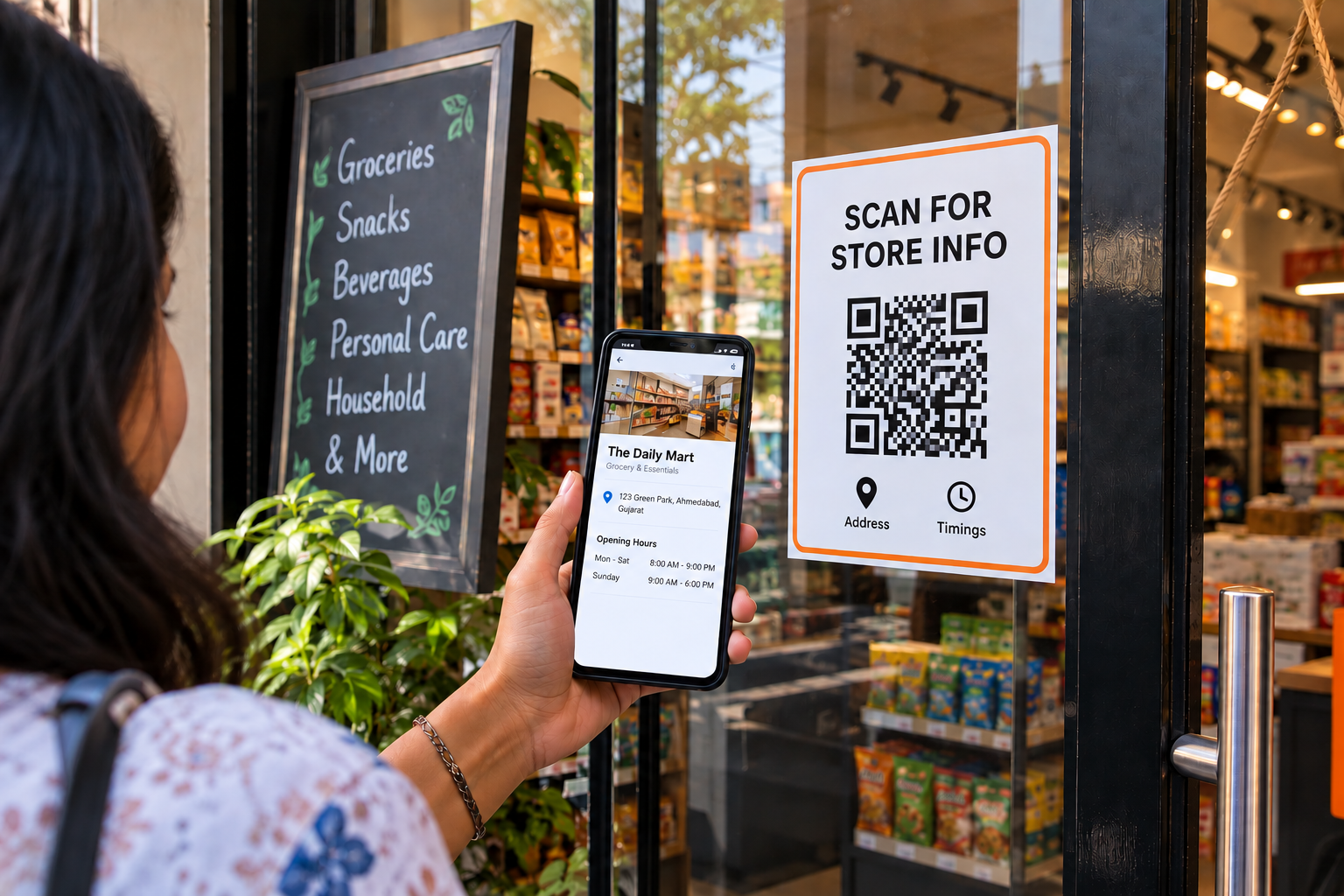
A Storefront QR Code can be especially useful outside a business location. Imagine a customer walking past a shop after business hours. The store may be closed, but the customer could still want to know the opening hours, address, or other information.
Placing a QR code near the entrance gives the customer an easy way to access the information without needing someone inside the store. Spur QR specifically recommends placing the Store Info QR Code on a storefront or door so customers can access store details before entering.
This simple use case shows why QR codes can be useful even when a business is not actively serving customers at that exact moment.
Dynamic Store QR Code for Changing Information
Store information can change. A business may change its opening hours, move to a new location, update its website, or modify other customer-facing information. This is where the difference between static and dynamic QR codes becomes important.
A static QR code contains fixed information, while a dynamic QR code can be updated without changing the physical QR image. Spur QR states that its dynamic QR codes can be edited and updated, with scan analytics also available. The Store Info page notes that dynamic store details can be updated without reprinting the QR code.
For businesses that expect their information to change over time, this can reduce the need to repeatedly replace printed materials.
How to Create a Store Information QR Code
Creating a Store Information QR Code can be done in a few simple steps. With Spur QR, the process begins by entering the store information and then generating the QR code. The platform also provides customization options for the QR's pattern, colors, logo, and overall appearance.
A simple workflow is:
1. Enter the store name, address, and timings.
2. Generate the Store Information QR Code.
3. Customize the QR code with suitable colors or a business logo.
4. Download the QR code in the required format.
5. Print and place it on business cards, storefronts, packaging, or other customer-facing materials.
This makes the process practical even for businesses that are not technically advanced.
Make Store Information Easier to Find
Customers do not always want to search for a business just to find basic information. Sometimes they simply want to know where the store is, whether it is open, or how they can find it again. A Store Information QR Code provides a simple way to put those details within easy reach.
Instead of filling every physical marketing material with long addresses and multiple lines of information, businesses can use one well-placed QR code to create a direct connection between the physical store and its digital information. From retail shops and local businesses to storefronts, business cards, packaging, and online promotions, a Store QR Code can make everyday customer interactions more convenient. Spur QR also provides QR customization options, including colors, patterns, logos, and downloadable formats, allowing businesses to create a QR code that fits their branding.
A Store Information QR Code is ultimately a small but practical digital tool. It gives customers an easier way to access store details when they need them and gives businesses a simple way to keep important information connected to their physical presence. One scan can turn a printed sign, business card, or package into a useful digital starting point for the next customer visit.